
Home
Autodesk Navisworks 2025: Fundamentals
Barnes and Noble
Loading Inventory...
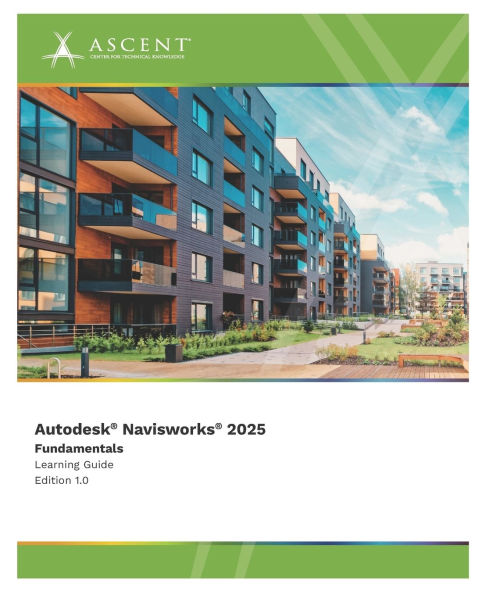
Autodesk Navisworks 2025: Fundamentals in Chattanooga, TN
Current price: $95.00
Barnes and Noble
Autodesk Navisworks 2025: Fundamentals in Chattanooga, TN
Current price: $95.00
Loading Inventory...
Size: OS
Please note: The print version of this guide is printed in black and white with images in grayscale.
The
Autodesk(R) Navisworks(R) 2025: Fundamentals
guide shows you how to use the Autodesk Navisworks Manage software in a BIM workflow to better predict project outcomes, reduce conflicts, minimize changes, and lower project risks.
The guide provides instructions on how to consolidate civil, architectural, structural, and MEP models into a single BIM model and check for conflicts. It also discusses how to use the Review and Markup tools to communicate issues across disciplines, the Quantification module to create estimates for building material, and the TimeLiner, Animator, and Clash Detective to simulate construction and to identify any constructibility issues and on-site clashes. Finally, it describes how to use the Rendering feature of the software to better communicate design intent to the project team and other stakeholders.
This guide is designed for new and experienced users of the Autodesk Navisworks software in multiple disciplines.
Topics Covered
Understanding the purpose of Building Information Modeling (BIM) and how it is applied in the Autodesk Navisworks software
Navigating the Autodesk Navisworks workspace and interface
Consolidating models from different software and properly aligning them to create a single Navisworks model
Saving and retrieving views and sectioning a model
Using basic viewing and investigation tools to locate, review, and measure items
Adding tags and comments to model components
Reviewing a model for clashes
Performing quantification calculations and material takeoffs
Animating and writing scripts to interact with the model
Creating and animating a construction timeline
Creating photorealistic images
Prerequisites
Access to the 2025.0 version of the software, to ensure compatibility with this guide. Future software updates that are released by Autodesk may include changes that are not reflected in this guide. The practices and files included with this guide might not be compatible with prior versions (e.g., 2024).
The 2025 Civil 3D Object Enabler must be installed on the computer running Navisworks.
A working knowledge of 3D design and task-scheduling software is recommended.
The
Autodesk(R) Navisworks(R) 2025: Fundamentals
guide shows you how to use the Autodesk Navisworks Manage software in a BIM workflow to better predict project outcomes, reduce conflicts, minimize changes, and lower project risks.
The guide provides instructions on how to consolidate civil, architectural, structural, and MEP models into a single BIM model and check for conflicts. It also discusses how to use the Review and Markup tools to communicate issues across disciplines, the Quantification module to create estimates for building material, and the TimeLiner, Animator, and Clash Detective to simulate construction and to identify any constructibility issues and on-site clashes. Finally, it describes how to use the Rendering feature of the software to better communicate design intent to the project team and other stakeholders.
This guide is designed for new and experienced users of the Autodesk Navisworks software in multiple disciplines.
Topics Covered
Understanding the purpose of Building Information Modeling (BIM) and how it is applied in the Autodesk Navisworks software
Navigating the Autodesk Navisworks workspace and interface
Consolidating models from different software and properly aligning them to create a single Navisworks model
Saving and retrieving views and sectioning a model
Using basic viewing and investigation tools to locate, review, and measure items
Adding tags and comments to model components
Reviewing a model for clashes
Performing quantification calculations and material takeoffs
Animating and writing scripts to interact with the model
Creating and animating a construction timeline
Creating photorealistic images
Prerequisites
Access to the 2025.0 version of the software, to ensure compatibility with this guide. Future software updates that are released by Autodesk may include changes that are not reflected in this guide. The practices and files included with this guide might not be compatible with prior versions (e.g., 2024).
The 2025 Civil 3D Object Enabler must be installed on the computer running Navisworks.
A working knowledge of 3D design and task-scheduling software is recommended.
Please note: The print version of this guide is printed in black and white with images in grayscale.
The
Autodesk(R) Navisworks(R) 2025: Fundamentals
guide shows you how to use the Autodesk Navisworks Manage software in a BIM workflow to better predict project outcomes, reduce conflicts, minimize changes, and lower project risks.
The guide provides instructions on how to consolidate civil, architectural, structural, and MEP models into a single BIM model and check for conflicts. It also discusses how to use the Review and Markup tools to communicate issues across disciplines, the Quantification module to create estimates for building material, and the TimeLiner, Animator, and Clash Detective to simulate construction and to identify any constructibility issues and on-site clashes. Finally, it describes how to use the Rendering feature of the software to better communicate design intent to the project team and other stakeholders.
This guide is designed for new and experienced users of the Autodesk Navisworks software in multiple disciplines.
Topics Covered
Understanding the purpose of Building Information Modeling (BIM) and how it is applied in the Autodesk Navisworks software
Navigating the Autodesk Navisworks workspace and interface
Consolidating models from different software and properly aligning them to create a single Navisworks model
Saving and retrieving views and sectioning a model
Using basic viewing and investigation tools to locate, review, and measure items
Adding tags and comments to model components
Reviewing a model for clashes
Performing quantification calculations and material takeoffs
Animating and writing scripts to interact with the model
Creating and animating a construction timeline
Creating photorealistic images
Prerequisites
Access to the 2025.0 version of the software, to ensure compatibility with this guide. Future software updates that are released by Autodesk may include changes that are not reflected in this guide. The practices and files included with this guide might not be compatible with prior versions (e.g., 2024).
The 2025 Civil 3D Object Enabler must be installed on the computer running Navisworks.
A working knowledge of 3D design and task-scheduling software is recommended.
The
Autodesk(R) Navisworks(R) 2025: Fundamentals
guide shows you how to use the Autodesk Navisworks Manage software in a BIM workflow to better predict project outcomes, reduce conflicts, minimize changes, and lower project risks.
The guide provides instructions on how to consolidate civil, architectural, structural, and MEP models into a single BIM model and check for conflicts. It also discusses how to use the Review and Markup tools to communicate issues across disciplines, the Quantification module to create estimates for building material, and the TimeLiner, Animator, and Clash Detective to simulate construction and to identify any constructibility issues and on-site clashes. Finally, it describes how to use the Rendering feature of the software to better communicate design intent to the project team and other stakeholders.
This guide is designed for new and experienced users of the Autodesk Navisworks software in multiple disciplines.
Topics Covered
Understanding the purpose of Building Information Modeling (BIM) and how it is applied in the Autodesk Navisworks software
Navigating the Autodesk Navisworks workspace and interface
Consolidating models from different software and properly aligning them to create a single Navisworks model
Saving and retrieving views and sectioning a model
Using basic viewing and investigation tools to locate, review, and measure items
Adding tags and comments to model components
Reviewing a model for clashes
Performing quantification calculations and material takeoffs
Animating and writing scripts to interact with the model
Creating and animating a construction timeline
Creating photorealistic images
Prerequisites
Access to the 2025.0 version of the software, to ensure compatibility with this guide. Future software updates that are released by Autodesk may include changes that are not reflected in this guide. The practices and files included with this guide might not be compatible with prior versions (e.g., 2024).
The 2025 Civil 3D Object Enabler must be installed on the computer running Navisworks.
A working knowledge of 3D design and task-scheduling software is recommended.
You May Also Like











More About Barnes and Noble at Hamilton Place
Barnes & Noble is the world’s largest retail bookseller and a leading retailer of content, digital media and educational products. Our Nook Digital business offers a lineup of NOOK® tablets and e-Readers and an expansive collection of digital reading content through the NOOK Store®. Barnes & Noble’s mission is to operate the best omni-channel specialty retail business in America, helping both our customers and booksellers reach their aspirations, while being a credit to the communities we serve.
2100 Hamilton Pl Blvd, Chattanooga, TN 37421, United States
Find Barnes and Noble at Hamilton Place in Chattanooga, TN
Visit Barnes and Noble at Hamilton Place in Chattanooga, TN