
Home
Autodesk Civil 3D 2026: Beyond the Basics for Grading (Imperial Units)
Barnes and Noble
Loading Inventory...
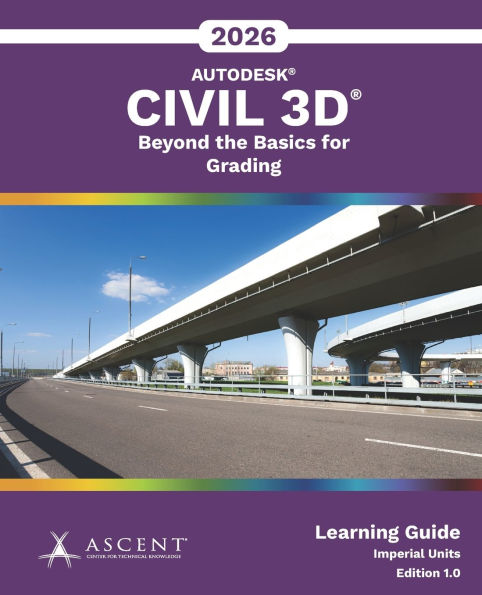
Autodesk Civil 3D 2026: Beyond the Basics for Grading (Imperial Units) in Chattanooga, TN
Current price: $80.00
Barnes and Noble
Autodesk Civil 3D 2026: Beyond the Basics for Grading (Imperial Units) in Chattanooga, TN
Current price: $80.00
Loading Inventory...
Size: OS
The Autodesk
(R)
Civil 3D
2026 software enables the creation of intelligent relationships between objects to support various civil engineering tasks.
Autodesk
2026: Beyond the Basics for Grading
intended for users who create or manage site grading plans using Autodesk Civil 3D.
The topics cover the use of feature lines, grading tools, and corridors to design a commercial site, which includes a parking lot, building pads, pond, and a simple sewage lagoon. A road is included in the survey, with existing conditions collected by a survey team. The practice exercises allow you to practice grading the lots in a small residential subdivision. The course content assumes that the existing conditions have already been processed. To learn how to create these existing conditions, refer to the content in
2026: Essentials for Surveyors
.
Topics Covered
Introduction to grading
Parcel grading
Grading using feature lines
Grading using grading objects and grading groups
Grading using corridors
Combining surfaces
Visualization in Autodesk
InfraWorks
Prerequisites
Knowledge of AutoCAD basics as taught in AutoCAD: Essentials, or equivalent experience.
Knowledge of Civil 3D basics as taught in Autodesk Civil 3D: Essentials, or equivalent experience.
A sound understanding and knowledge of civil engineering terminology.
Access to the 2026.1 version of the software, to ensure compatibility with this guide. Future software updates that are released by Autodesk may include changes that are not reflected in this guide. The practices and files included with this guide might not be compatible with prior versions (e.g., 2025).
(R)
Civil 3D
2026 software enables the creation of intelligent relationships between objects to support various civil engineering tasks.
Autodesk
2026: Beyond the Basics for Grading
intended for users who create or manage site grading plans using Autodesk Civil 3D.
The topics cover the use of feature lines, grading tools, and corridors to design a commercial site, which includes a parking lot, building pads, pond, and a simple sewage lagoon. A road is included in the survey, with existing conditions collected by a survey team. The practice exercises allow you to practice grading the lots in a small residential subdivision. The course content assumes that the existing conditions have already been processed. To learn how to create these existing conditions, refer to the content in
2026: Essentials for Surveyors
.
Topics Covered
Introduction to grading
Parcel grading
Grading using feature lines
Grading using grading objects and grading groups
Grading using corridors
Combining surfaces
Visualization in Autodesk
InfraWorks
Prerequisites
Knowledge of AutoCAD basics as taught in AutoCAD: Essentials, or equivalent experience.
Knowledge of Civil 3D basics as taught in Autodesk Civil 3D: Essentials, or equivalent experience.
A sound understanding and knowledge of civil engineering terminology.
Access to the 2026.1 version of the software, to ensure compatibility with this guide. Future software updates that are released by Autodesk may include changes that are not reflected in this guide. The practices and files included with this guide might not be compatible with prior versions (e.g., 2025).
The Autodesk
(R)
Civil 3D
2026 software enables the creation of intelligent relationships between objects to support various civil engineering tasks.
Autodesk
2026: Beyond the Basics for Grading
intended for users who create or manage site grading plans using Autodesk Civil 3D.
The topics cover the use of feature lines, grading tools, and corridors to design a commercial site, which includes a parking lot, building pads, pond, and a simple sewage lagoon. A road is included in the survey, with existing conditions collected by a survey team. The practice exercises allow you to practice grading the lots in a small residential subdivision. The course content assumes that the existing conditions have already been processed. To learn how to create these existing conditions, refer to the content in
2026: Essentials for Surveyors
.
Topics Covered
Introduction to grading
Parcel grading
Grading using feature lines
Grading using grading objects and grading groups
Grading using corridors
Combining surfaces
Visualization in Autodesk
InfraWorks
Prerequisites
Knowledge of AutoCAD basics as taught in AutoCAD: Essentials, or equivalent experience.
Knowledge of Civil 3D basics as taught in Autodesk Civil 3D: Essentials, or equivalent experience.
A sound understanding and knowledge of civil engineering terminology.
Access to the 2026.1 version of the software, to ensure compatibility with this guide. Future software updates that are released by Autodesk may include changes that are not reflected in this guide. The practices and files included with this guide might not be compatible with prior versions (e.g., 2025).
(R)
Civil 3D
2026 software enables the creation of intelligent relationships between objects to support various civil engineering tasks.
Autodesk
2026: Beyond the Basics for Grading
intended for users who create or manage site grading plans using Autodesk Civil 3D.
The topics cover the use of feature lines, grading tools, and corridors to design a commercial site, which includes a parking lot, building pads, pond, and a simple sewage lagoon. A road is included in the survey, with existing conditions collected by a survey team. The practice exercises allow you to practice grading the lots in a small residential subdivision. The course content assumes that the existing conditions have already been processed. To learn how to create these existing conditions, refer to the content in
2026: Essentials for Surveyors
.
Topics Covered
Introduction to grading
Parcel grading
Grading using feature lines
Grading using grading objects and grading groups
Grading using corridors
Combining surfaces
Visualization in Autodesk
InfraWorks
Prerequisites
Knowledge of AutoCAD basics as taught in AutoCAD: Essentials, or equivalent experience.
Knowledge of Civil 3D basics as taught in Autodesk Civil 3D: Essentials, or equivalent experience.
A sound understanding and knowledge of civil engineering terminology.
Access to the 2026.1 version of the software, to ensure compatibility with this guide. Future software updates that are released by Autodesk may include changes that are not reflected in this guide. The practices and files included with this guide might not be compatible with prior versions (e.g., 2025).
You May Also Like











More About Barnes and Noble at Hamilton Place
Barnes & Noble is the world’s largest retail bookseller and a leading retailer of content, digital media and educational products. Our Nook Digital business offers a lineup of NOOK® tablets and e-Readers and an expansive collection of digital reading content through the NOOK Store®. Barnes & Noble’s mission is to operate the best omni-channel specialty retail business in America, helping both our customers and booksellers reach their aspirations, while being a credit to the communities we serve.
2100 Hamilton Pl Blvd, Chattanooga, TN 37421, United States
Find Barnes and Noble at Hamilton Place in Chattanooga, TN
Visit Barnes and Noble at Hamilton Place in Chattanooga, TN